Smart features for archives that pull their own weight
Once your VODs are saved, the smart layer does work that would normally take you hours: transcribe the audio, name who's talking, find your best moments, write headlines for them, and cut out the AFK gaps. Here's a preview of what's coming.
Rolling out in early access
These features are opening up in waves while we fine-tune them. Everything else — VOD archival, chat replay, the replay player, encoding, analytics, wrapped reports — is live and free for everyone today.
1 · Transcripts
Coming soonSearchable captions for every VOD
Every archived VOD gets a full transcript, automatically. Toggle captions in the replay player, or search the transcript and click any line to jump straight to that moment.
- 00:14:02 Okay, art jam round two — the theme is lighthouses, chat.
- 00:14:09 Ten minutes on the clock. cinder_owl, you're up first.
- 01:42:38 No way. No way — did we actually just wipe the whole squad? Click to seek
- 01:43:02 Cat, you're stepping on the keyboard. You're famous now, buddy.
Find anything
Search what was said
"Where did I talk about the new overlay?" Type a few words and jump straight there — no scrubbing through hours of footage.
Hands-off
Captions on every replay
Transcripts generate automatically after each stream is archived and show up as captions in the replay player — nothing to run, nothing to upload.
2 · Speaker identification
In betaEvery line knows who said it
Diarization separates the voices on your stream, so every transcript line is attributed to who's talking — you, your duo, the game itself. No more guessing which "no way" was yours.
Each voice gets a fingerprint that's matched against your earlier streams, so the same voice clusters together across VODs. Name a cluster once — "Duo", "Game audio" — and it stays named on every transcript, past and future.
- 01:08:12 pixelharbor Rotate left — they're pushing the bridge.
- 01:08:15 Duo On it — I've got smokes for the gap.
- 01:08:21 Game audio Enemy UAV spotted.
- 01:08:24 pixelharbor Chat, clip that — cinder_owl called it a round early.
- 01:08:30 Duo She always calls it. Spooky.
3 · Auto-highlights
In betaFind your best moments without re-watching
We watch chat activity, Twitch events — raids, sub bombs, hype trains, bits — and what's being said to surface the top moments of every stream, each with the reason it scored. They show up on the stream page and right in the replay player.
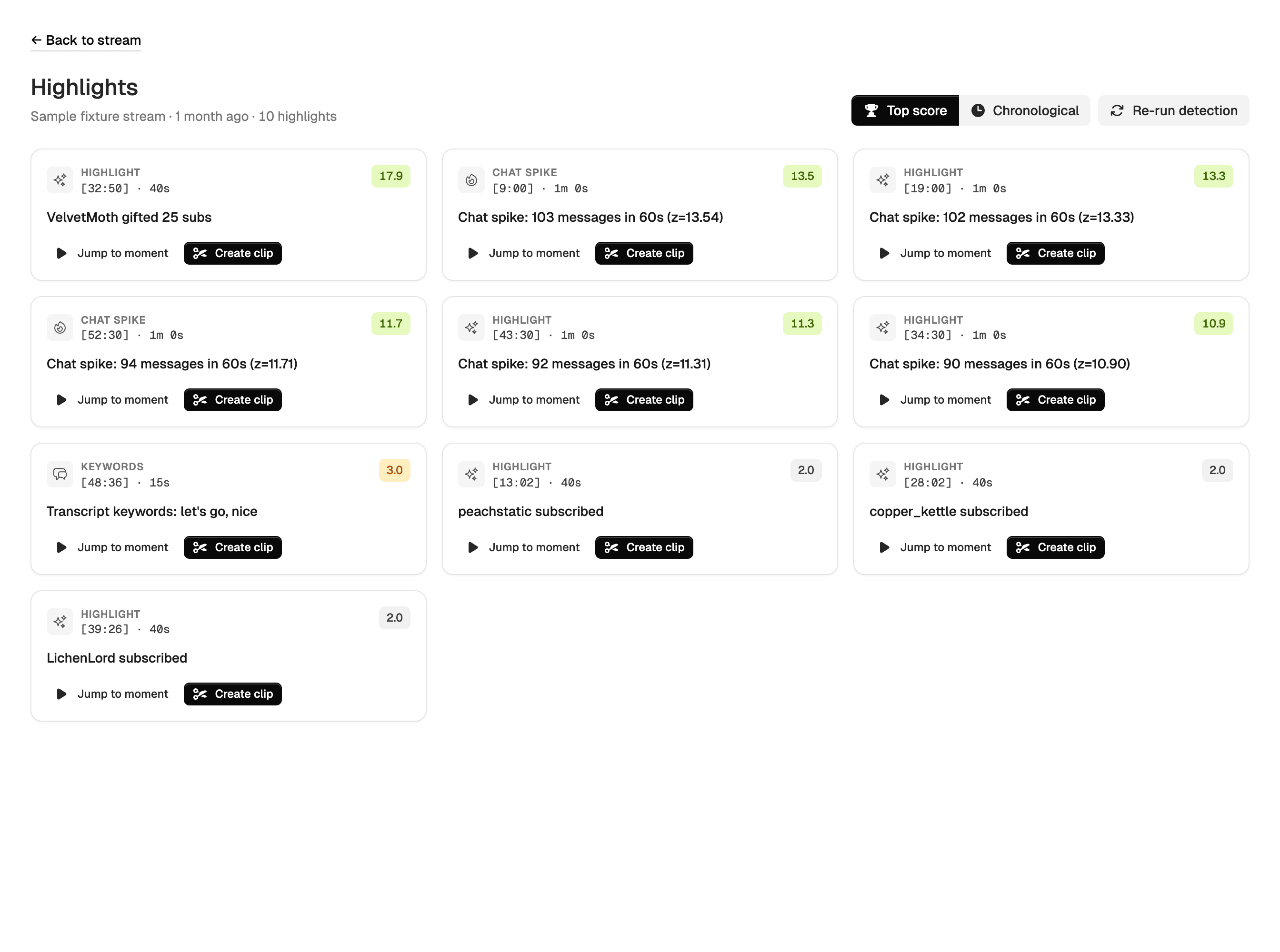
One-click clip
Turn a moment into a clip
Every highlight has a "Create clip" button. One click cuts the segment — full quality, no re-encoding — and saves it to your archive as its own clip.
4 · AI headlines
Human-readable headlines for every clip
Every auto-detected highlight gets an AI pass that listens to the moment and reads the chat, then writes a one-line headline and a suggested trim — so your clips arrive named and ready to share instead of as "Highlight #7".
"Squad wipe with a cat on her lap — chat erupts"
Refined headline
Big play — Pog reaction in chat
Recommended start
01:42:18
Recommended end
01:42:51
Reasoning: Streamer's "no way" reaction at 1:42:38 is the payoff; chat spike continues for ~10s after. Setup starts at the round transition.
5 · Auto-trim AFK
Cut the AFK gaps automatically
Stepped away mid-stream? We detect the stretches where nothing is happening — no voice, frozen screen, quiet chat, no events — and produce a trimmed copy of your VOD with the dead air removed.
One stream, trimmed
4h 12m
stream
2h 58m
of content
1h 14m removed · 12 segments
- 0:42:10–0:49:55 silent + frozen, chat quiet 7m 45s
- 1:21:04–1:52:31 silent + frozen, chat quiet 31m 27s
- 2:30:12–2:42:14 frozen frame, no events 12m 02s
Typical IRL streamer save
15–30%
A 4-hour Just Chatting stream becomes 2.8 hours of actual content. Pure-gaming streamers with always-engaged audiences see less.
Originals stay safe
Your full VOD is never touched
The trimmed version is a separate copy that lives alongside the original — and every cut is logged, so you can see exactly what was removed and why.
Keep reading
Related guides
Encoding
Encoding profiles
The foundation-tier encoder the auto-trim profile plugs into — codecs, containers, and auto-encode-on-archive.
More details
Replay
Watching your stream replays
Where transcripts and highlights surface day to day — captions, the transcript pane, and the highlights sidebar.
More details
Analytics
Per-stream analytics
The chat + events data the highlight scorer feeds on, visualized per stream — free for everyone.
More details
Free during early access
Foundation now, smart later
Start archiving today — VOD archival, chat replay, the replay player, encoding profiles, analytics, and wrapped reports are all free, no credit card. Smart features arrive on top as they roll out.